Features
A full tour of the product. Marvin Vision capture. The honest chat. The budget timeline. Localised currency intelligence. Forecasts that hold up.
01 · Marvin Vision
Or do it in the app: snap a receipt, or drop a PDF, Excel or CSV.
* Scanning is included with Starter, Pro and Pro+.
Prefer it hands-off? Pro+ in the US & Canada can connect a bank — optional, never required.
| Date | Description | Withdrawn | Deposited | Balance |
|---|---|---|---|---|
| Aug 14 | Opening balance | 1,431.06 | ||
| Aug 21 | Debit · WALMART #3021 | 50.00 | 1,381.06 | |
| Aug 28 | Direct deposit · PAYROLL | 2,140.00 | 3,521.06 | |
| Sep 01 | Pre-auth · NETFLIX.COM | 16.99 | 3,504.07 | |
| Sep 04 | Bill pay · CITY HYDRO | 96.40 | 3,407.67 | |
| Sep 08 | Debit · SHELL C04412 | 62.15 | 3,345.52 | |
| Sep 11 | Closing balance | 3,345.52 |
| Date | Description | Withdrawn | Deposited | Balance |
|---|---|---|---|---|
| Interest & fees summary | ||||
| Monthly plan fee | 0.00 |
02 · Recurring bills
Share a few months of statements and Marvin spots the bills that keep coming back* — rent, phone, internet, streaming, insurance — with the amount and the day they usually land. You just tap Add. Marvin does the finding; you have the final say.
* Finding recurring bills is included with Pro and Pro+.
03 · Marvin chat
Marvin answers from the same engine that builds your forecast — bills, salary, balance, spending. So when it says "you'll have $640 by pay day", that's not a guess. When it says "no, push that trip to August", it shows you the math.
04 · Budget timeline
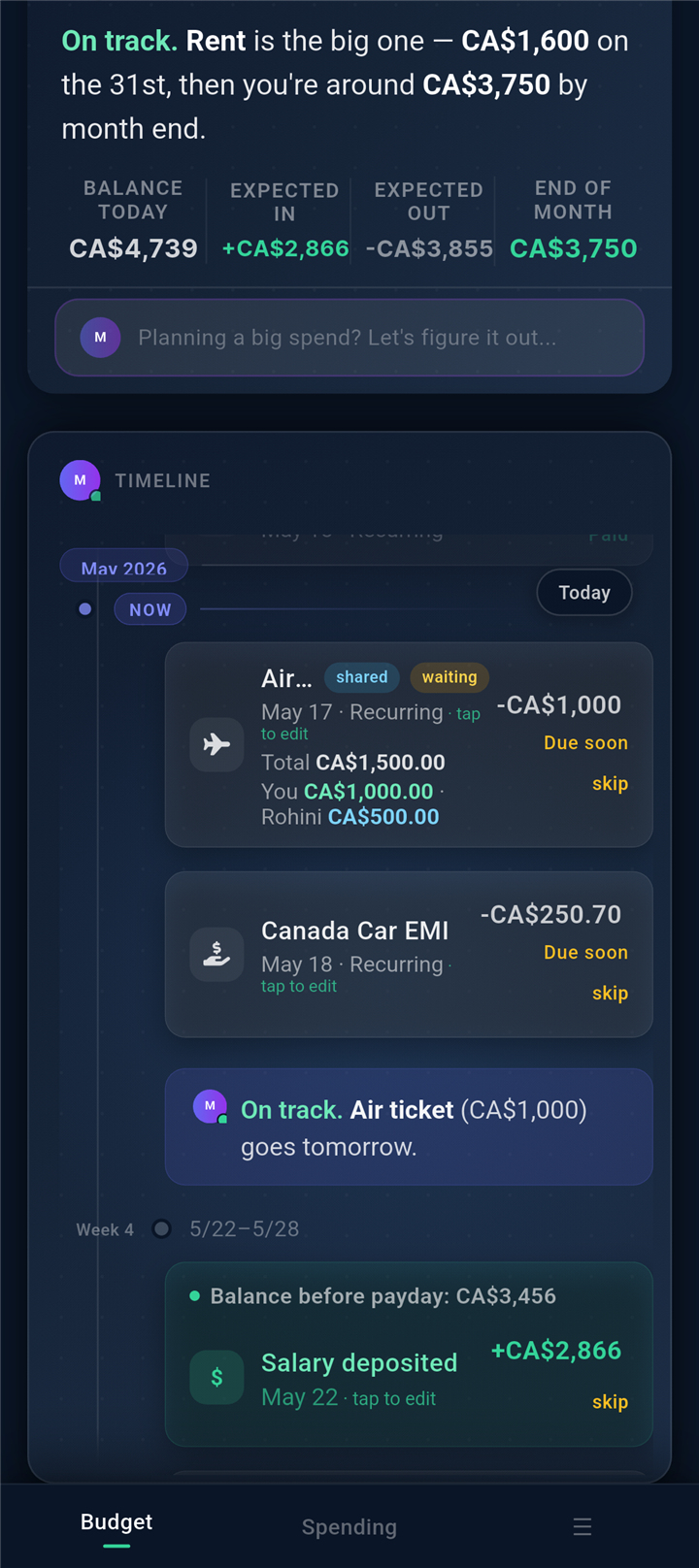
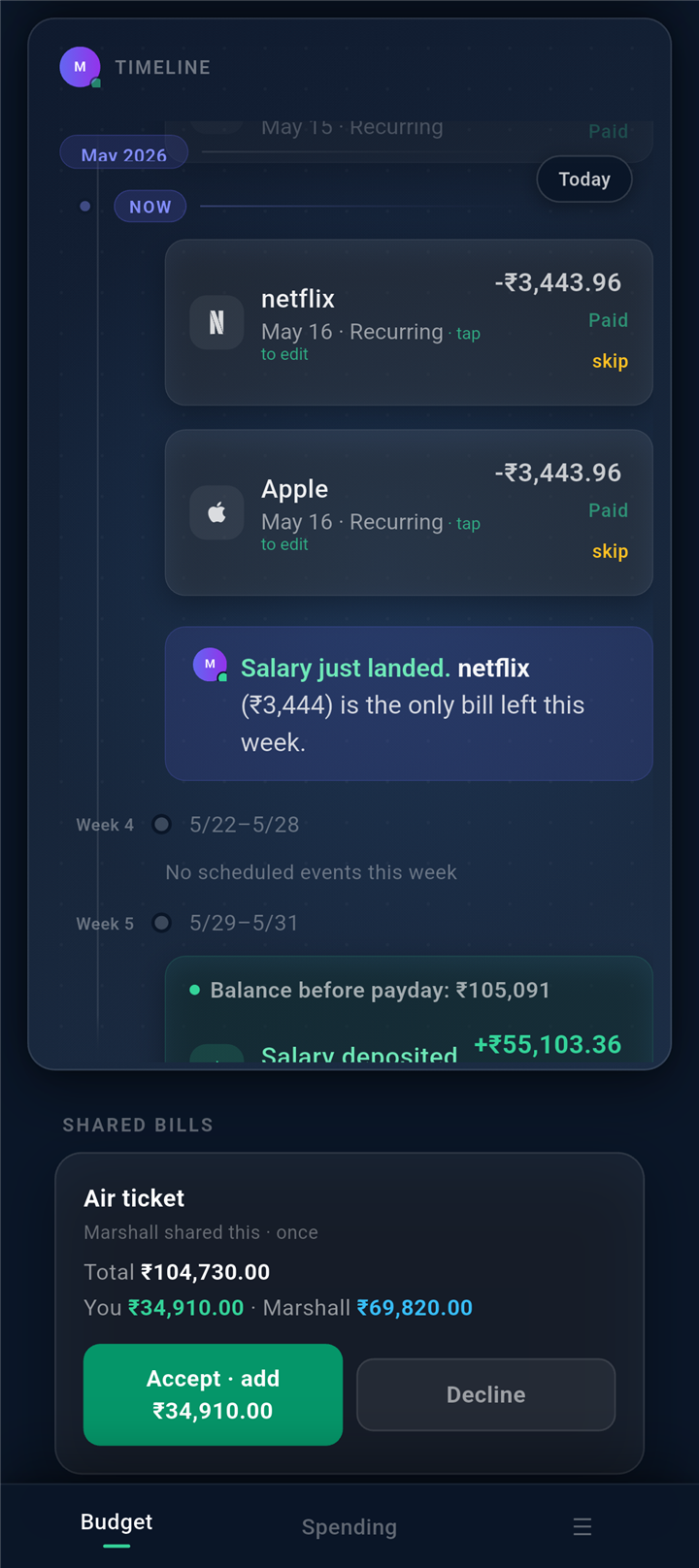
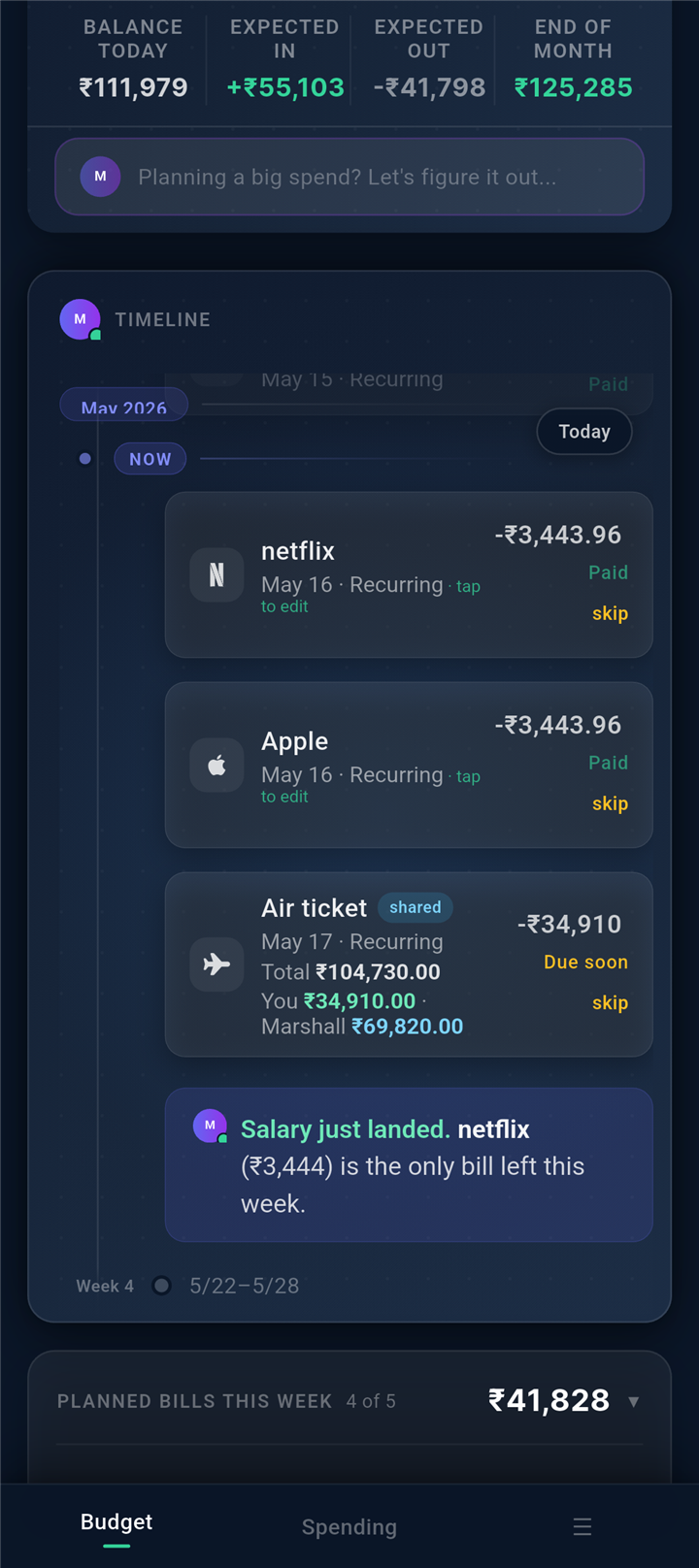
Past, present, and the next two paydays at a glance. Tap any week to drill in. Tap a bill to skip, move, or edit. Marvin flags tight weeks before they hit, and tells you which bill to move if you need to.
Already have a bill on your plan? When its charge lands, the bill shows a paid mark. Bills can repeat weekly, monthly, every two months, quarterly or yearly.
06 · Forecasts
Marvin runs your forecast every time you open the app. Projected end-of-month, projected pay-day balance, projected end-of-quarter cushion — all grounded in your real recurring bills and salary cadence. No vibes. Just math you can plan around.
07 · Budget variance
Tap your forecast and Marvin lays the month out line by line — each category's budget next to what really happened, drillable down to the single merchant that moved it, with a plain-English read on any gap. It's arithmetic on your own numbers — not a guess.
On Pro & Pro+.
08 · Localised currency
Marvin reads, talks, and bills you in your own currency. We tune the price to local cost of living so it always feels fair — wherever you live.
Note: local pricing applies to web checkout at marvinmoney.com. App Store and Play Store apply Apple's and Google's regional pricing tiers — close, but set by them.
Marvin adjusts to 150+ currencies — your price reflects local cost of living, not exchange rates.
09 · Smart categories
Categorise once, Marvin remembers forever. Override anything; Marvin learns your preference for that merchant going forward. No tedious re-tagging. No category trees buried in settings menus.
10 · Your data
No bank login required, no ads, no selling your data. Delete your account anytime and we wipe you within 30 days — no ghost copies, no exceptions. Read more on our privacy page.